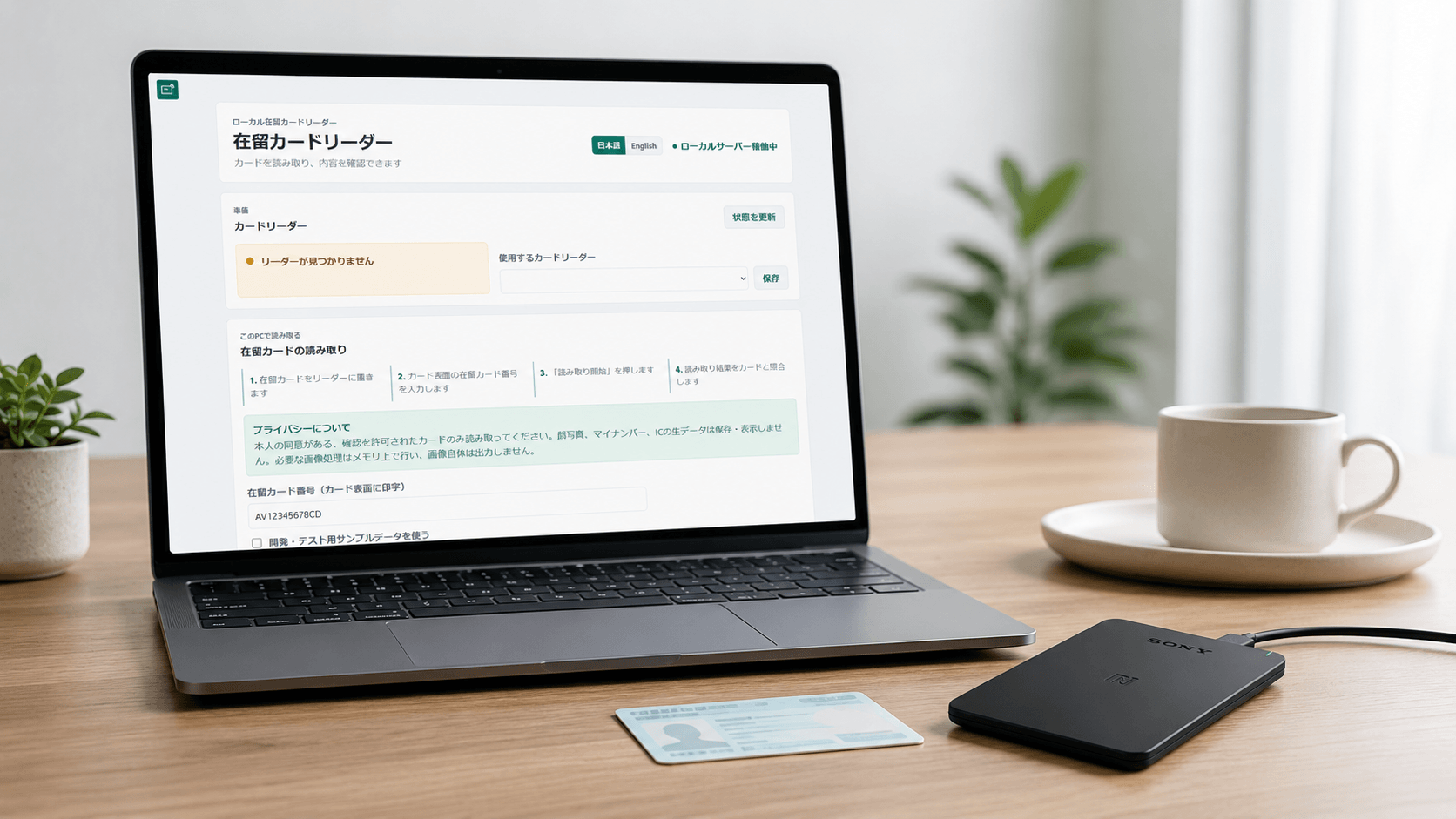
I have released zairyu-card-reader, an open-source Windows application for reading information stored on Japanese residence cards with a compatible USB NFC reader.
It is a relatively small application, but it brings together several things that matter to me: solving real administrative problems, protecting personal information, making complicated technology usable for non-technical staff, and documenting limitations honestly.
This article explains why I built it, why it works entirely on the local computer, and what I learned while preparing it for public release.
A practical problem in school administration
I work with international students at a Japanese language school. Residence-card information is therefore not an abstract data format to me. It is part of everyday administrative work.
Schools may need to confirm information such as a student's residence status, period of stay, card number, address, and permission related to activities outside their residence status.
New-format residence cards issued from June 14, 2026 no longer print the period of stay on the physical card. At the time of writing, the official Residence Card Reader application also does not display that information. The Immigration Services Agency has announced an update around September 2026.
This created an immediate practical problem.
The information still exists in the card's IC chip, but staff may not have a convenient way to review it. Period of stay can also be required when completing immigration-related procedures.
I originally began investigating the card format because I wanted to understand whether the missing information could be read safely and reliably.
That investigation gradually became a working application.
Why I did not want a cloud-based solution
A residence card contains highly sensitive personal information.
When designing a tool for this kind of data, the first question should not be:
> How much information can the application collect?
The better question is:
> What is the minimum the application needs to do, and how can unnecessary exposure be avoided?
For that reason, zairyu-card-reader is intentionally local-only.
When a card is read:
- no card data is sent to a server;
- no cloud service is contacted;
- no user account is required;
- no telemetry or analytics are collected;
- no database is used;
- no card information is written to disk;
- no face photograph or complete card image is displayed or stored;
- no My Number or JPKI information is accessed.
The application runs on the Windows computer connected to the NFC reader. Its local server accepts loopback connections only and refuses to bind to a LAN or public network address.
The result is intentionally limited. It reads one card in front of one authorised user on one computer.
That limitation is part of the design, not a missing feature.
Building the smallest useful tool
The application detects compatible PC/SC readers connected to the computer and checks whether a card is present.
The user enters the residence-card number printed on the front of the card. The application then communicates with the card's IC chip and displays 17 fields for human review.
Depending on the card generation, some values are stored as structured text while others, particularly names and addresses, may be stored as images.
Where necessary, the application uses a local OCR model to interpret those images. Nothing is uploaded to an external OCR service.
The application also verifies the cryptographic relationship between the information read from the chip and the supported certificates packaged with the application.
This signature verification is useful, but it has an important limitation. It does not by itself prove that a card remains currently valid or that it has not subsequently been invalidated.
The application therefore helps an authorised person review information. It does not make administrative or legal decisions for them.
OCR has to be treated carefully
Local OCR was one of the more difficult parts of the project.
Names on residence cards may contain unusual spacing, long romanised names, multiple scripts, or characters that OCR models do not recognise consistently. Addresses can contain complex place names and layouts that are difficult to segment correctly.
During testing, I encountered problems such as:
- spaces appearing in the wrong positions;
- parts of long names being omitted;
- complex kanji being recognised incorrectly;
- incomplete address lines;
- incorrect separation of prefecture, municipality, and street information.
For that reason, every OCR-derived field must be compared with the physical card.
The interface does not pretend that OCR is perfect. When a value cannot be read, it says so rather than silently inventing a result.
This was an important design principle throughout the project: uncertainty should be visible to the user.
Testing without publishing personal information
Automated tests for the project use synthetic information only.
Genuine names, addresses, card numbers, photographs, chip dumps, certificates, and signatures do not belong in a public repository or issue tracker.
In addition to the synthetic test suite, I field-tested the application with more than 60 newer-generation genuine residence cards and around 10 older-generation cards. Testing was carried out with a Sony FeliCa RC-S300 reader on Windows 10, Windows 11, and Windows Server 2016.
The structured chip fields and signature verification worked correctly during those tests.
That does not mean every combination of card, reader, driver, Windows installation, and OCR environment is guaranteed to work. Hardware and driver behaviour can vary, and field testing cannot cover every possible environment.
The public documentation therefore explains both what was tested and what remains uncertain.
Preparing a private tool for public release
A tool used privately in one workplace and a responsibly released open-source project are not the same thing.
Preparing the public release required more than uploading the source code.
I added:
- English and Japanese documentation;
- installation and troubleshooting guides;
- privacy and security documentation;
- a private vulnerability-reporting process;
- a release checklist;
- dependency and third-party licence notices;
- offline certificate documentation;
- reproducible dependency files;
- automated tests and release checks;
- Windows packaging that does not require Python to be installed.
I also removed functionality that no longer matched the project's privacy boundary.
For example, the application does not provide a general clipboard export workflow. It is designed to display information for review, not to become a convenient new route for copying sensitive data into uncontrolled locations.
These choices make the tool less expansive, but more coherent.
Why I released it as open source
There are several reasons I decided to publish the project.
First, the administrative problem is not unique to one school. Language schools, educational institutions, employers, support organisations, and residents themselves may face similar difficulties.
Second, security-sensitive software benefits from transparency. Public source code allows other developers to examine how information is handled and report problems.
Third, I wanted the project's limitations to be public as well. Open source should not mean making exaggerated claims. Users need to understand what a tool does not support just as clearly as what it does support.
The application is not affiliated with, endorsed by, approved by, or certified by the Immigration Services Agency of Japan or the Ministry of Justice.
It should only be used when the cardholder has consented or when the user is otherwise authorised to inspect the card.
What this project taught me
The most interesting part of this project was not NFC communication by itself.
It was the combination of many different concerns:
- understanding a real administrative workflow;
- reading technical card structures;
- communicating with physical hardware;
- implementing cryptographic verification;
- running OCR locally;
- packaging a Python application for ordinary Windows users;
- protecting sensitive personal information;
- writing documentation for both users and developers;
- deciding which features should deliberately not exist.
It reinforced something I have learned repeatedly while building tools for schools:
A useful application does not need to automate everything.
Sometimes the better solution is a small, understandable tool that gives a human the information they need while keeping the technical and privacy boundaries clear.
View the project
The source code, documentation, installation instructions, and Windows releases are available on GitHub:
Bug reports and compatibility reports are welcome, but public reports must use synthetic information. Genuine residence-card data should never be posted in a GitHub issue.